Post Quantum Leap 3.8 is out, and it completes what we set out to build for PQC projects.
Until now PQL worked bottom up: scan the estate, see what it holds, plan the migration from there. With 3.8 you can also work top down. Start from the applications your business runs, link their endpoints, and plan their migration.
Enrollment keys and applications, in one minute. (Demo data)
One key for every machine
The client scanner reads what a server holds, not only what it shows on the network: its keys, certificates, libraries and configuration. Until now each host needed a token of its own. With 3.8 an enrollment key lets your deployment tool run one install command on every machine. Each machine trades the key once for a token of its own, bound to its name.
- The key is shown once. PQL keeps only a hash.
- Host names, a host limit and an expiry narrow it.
- Run the command again and nothing is enrolled twice. A revoked scanner stays revoked.
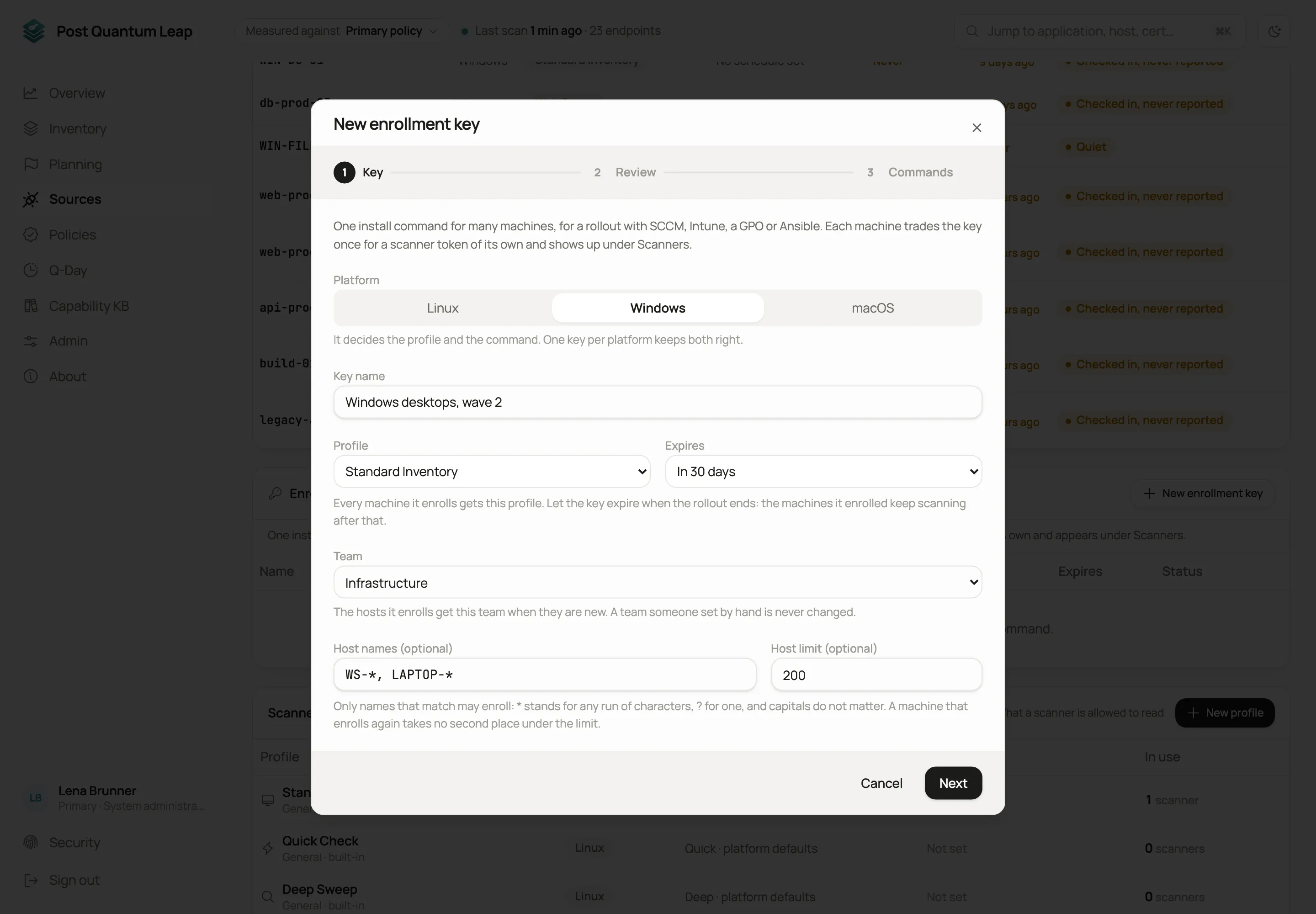 One key per rollout and platform. (Demo data)
With Microsoft Intune, the command is a platform script. Intune runs it as SYSTEM on every Windows device:
$env:CIS_SERVER='https://pql.example.com'; $env:CIS_TOKEN='pqlek_…'; $env:PQLSCAN_SCHEDULE='install'
irm https://pql.example.com/api/client-scanner/install.ps1 | iex
With Jamf Pro, it is a policy script. Jamf runs it as root on every Mac, with a key made for macOS:
#!/bin/sh
curl -fsSL https://pql.example.com/api/client-scanner/install.sh \
  | PQLSCAN_TOKEN='pqlek_…' sh -s -- --server https://pql.example.com --schedule
The key lives in the script, never on a command line. The user guide on the support site covers SCCM, group policy and Ansible as well.
Applications: the top down view
A PQC project in PQL used to start from what the scans found: endpoints, certificates and keys, then groups of them to plan. That view finds everything. But a board thinks in systems: the HR system, the core banking system, the online shop.
With 3.8 you add those applications and link them to the endpoints they run on, to some of their ports if you like, and to keys and stored certificates that have no endpoint. Each application then shows two things side by side, and never mixes them: what the scans measured, and what the vendor declares.
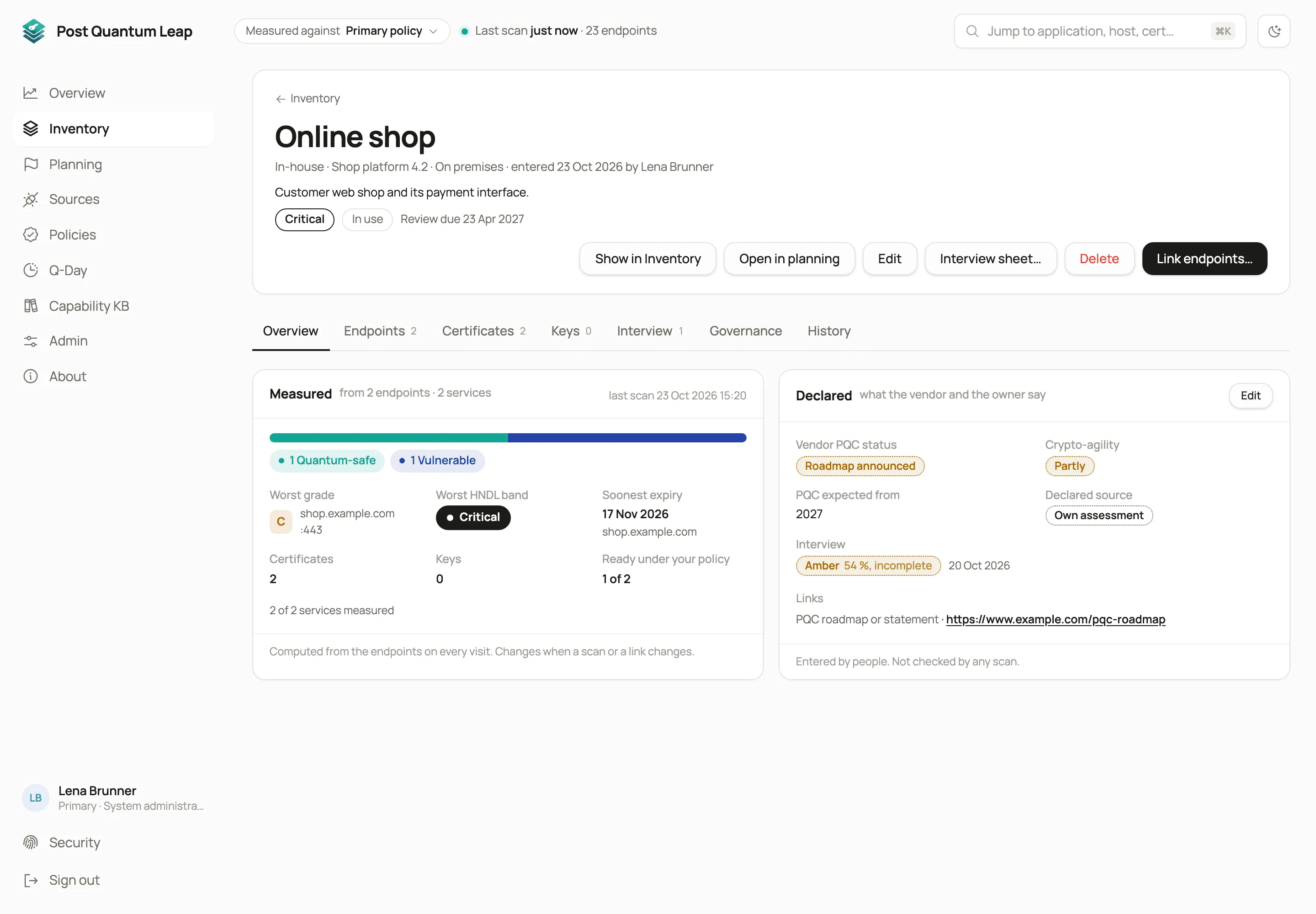 Measured on the left, declared on the right. (Demo data)
Ask the vendor
Interview sheets send the PQC product check, an Excel questionnaire, to the supplier of each application. It asks for the product’s PQC status by function, with dates, and ten questions about the product. Bring the answers back, or type them in after a call, and PQL rates them green, amber or red. The next sheet starts from the last answers, so only what changed needs a new answer.
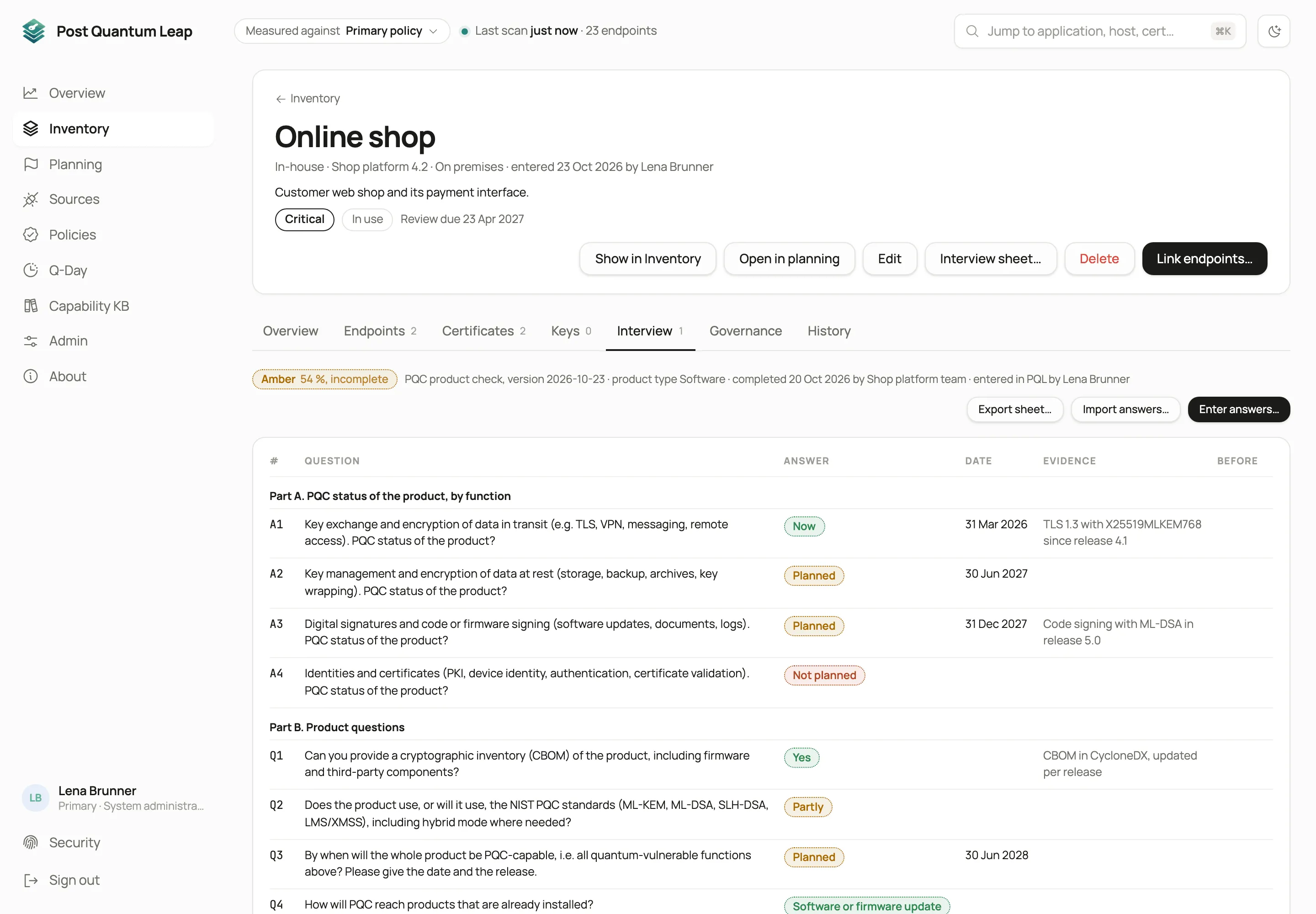 Rated amber: post-quantum for data in transit now, for signatures planned for the end of 2027. (Demo data)
From the application to the plan
Each application is a group you can adopt as a cohort and put in a wave. An application with an Asset ID puts its endpoints into that business service. A host without a criticality of its own is ranked with the criticality of the applications it serves, and says so.
So the plan can start from either end: from the inventory up, or from your key applications down. Both meet in the same waves.
Also in 3.8
- Network captures. Upload a pcap file and see what real clients and servers negotiated, also with servers PQL has not scanned.
- Remote sweeps. A Bifröst engine can sweep a network range that only it can reach.
- Tenant backups. Every night or on demand, with a restore.
- Browsers. The Capability KB shows which browser versions use post-quantum key exchange, and an endpoint’s page names the browsers it would lock out.
The details are in the release notes on the support site. Read their section “Before you upgrade” first: the first start of 3.8 backs up every tenant.